Portable Bluetooth Speaker Linking
Newly design button and on product interactions to link two Bose Bluetooth speakers together for an optimal listening experience and sound.
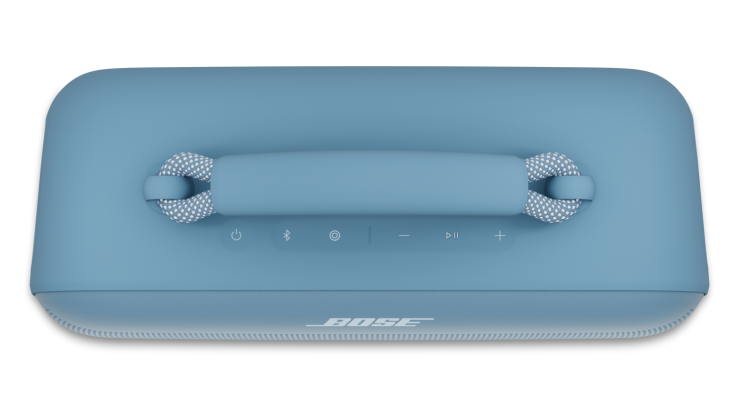
Team & Role
Team included: Me and another product designer
My role:
Re-design the user experience around linking speakers together, without using an app.
Market research on competitors that support linking speakers together.
On product linking button icon design and button behavior.
Identify tones and write voice prompts to guide user through linking experience.
Process
We started with a stand alone button on the SoundLink Max but through program changes, we shifted this button to be a customizable shortcut button to be a customizable Shortcut button that includes linking as a programable option.
Problem to Solve
Design and build the best speaker linking experience for the SoundLink Max and use this as a footprint for all future Bluetooth speakers.
Understanding the Bose Products
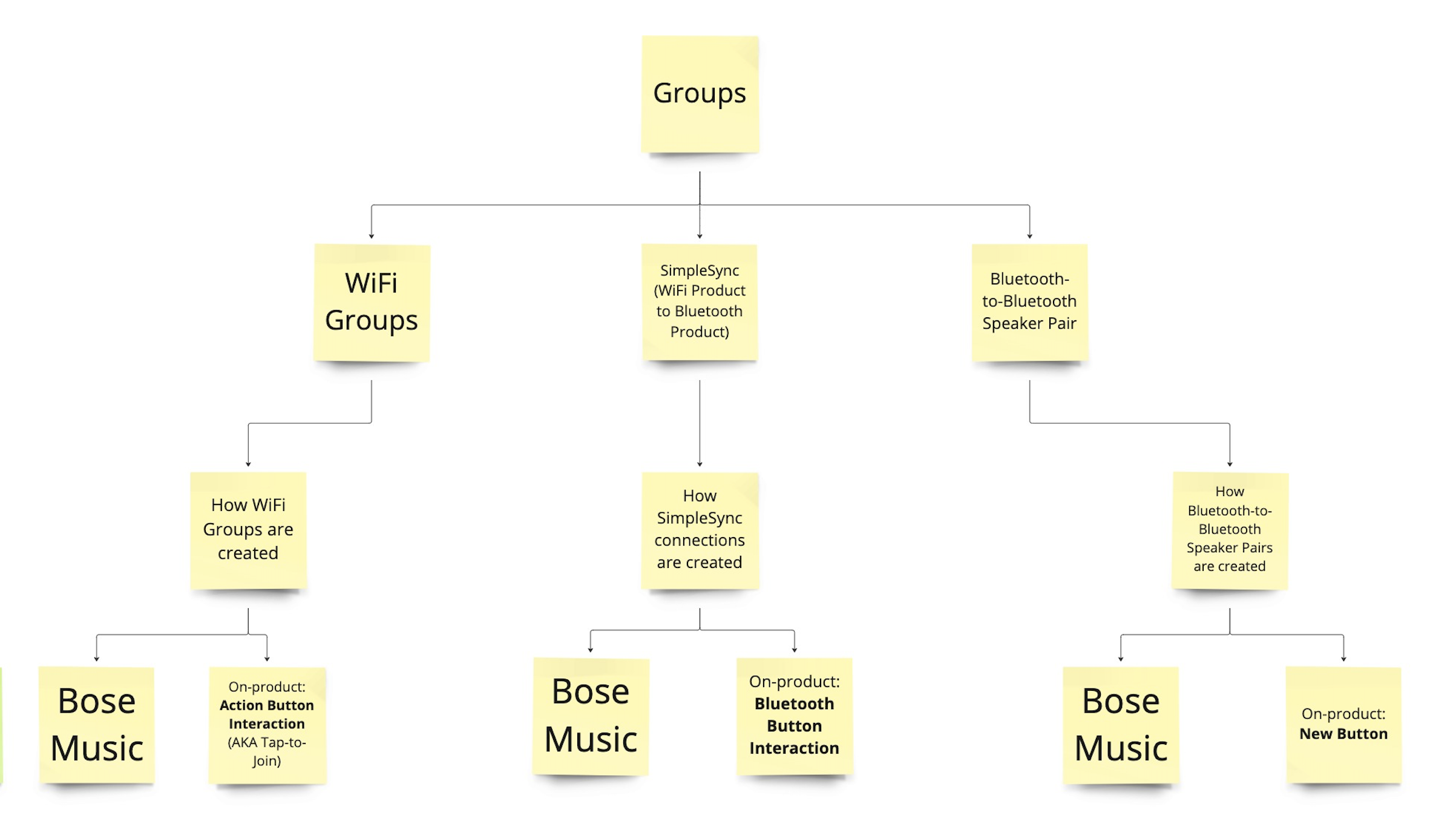
Bose products are able to link together only within their own branches - WiFi groups (a WiFi product to a WiFi product), SimpleSync (a WiFi product to a Bluetooth product) or a speaker link (a Bluetooth product to a Bluetooth product).
Next step was to evaluate a few icon options on product. Note: at this time, Linking was still a stand-alone button.
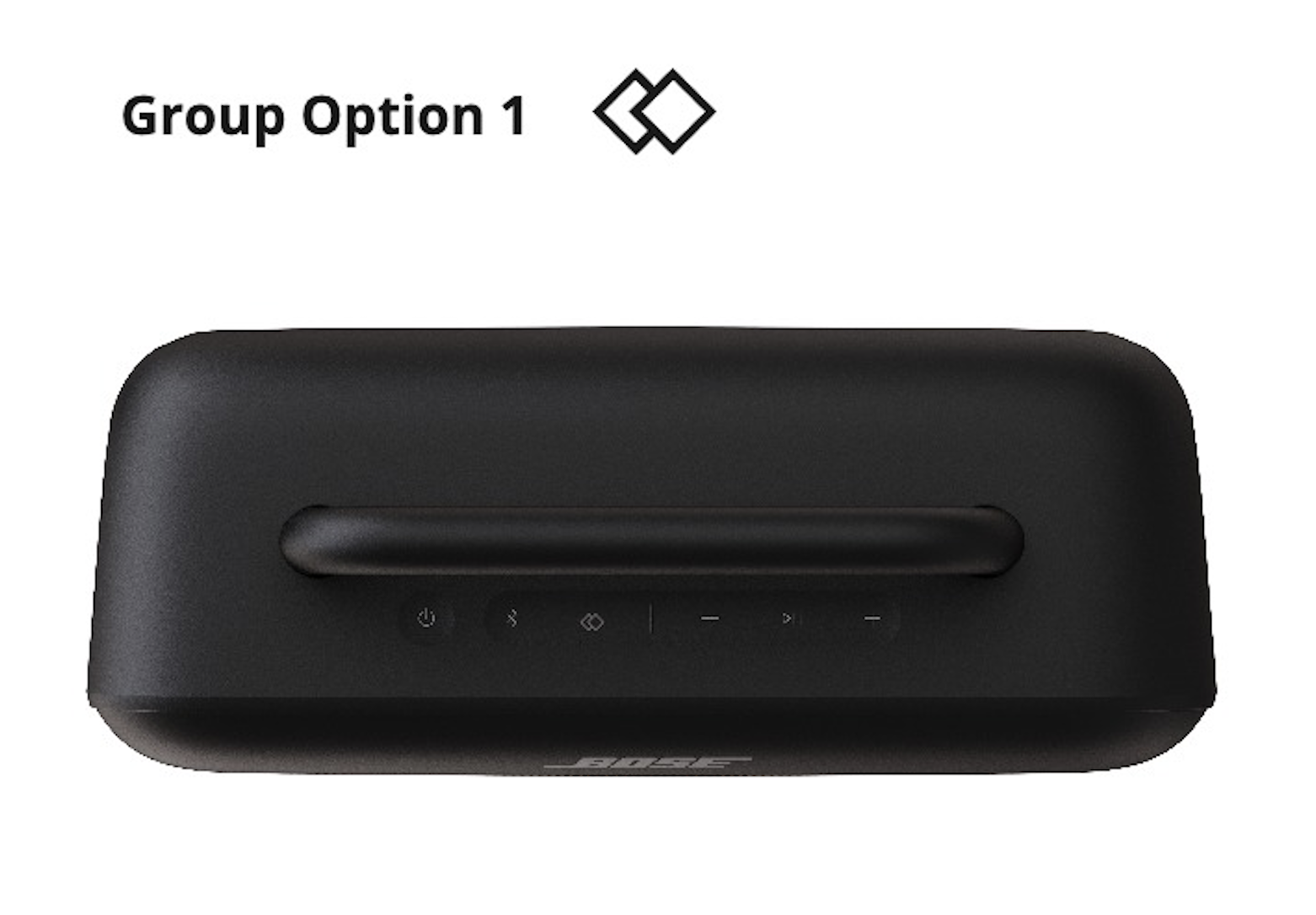
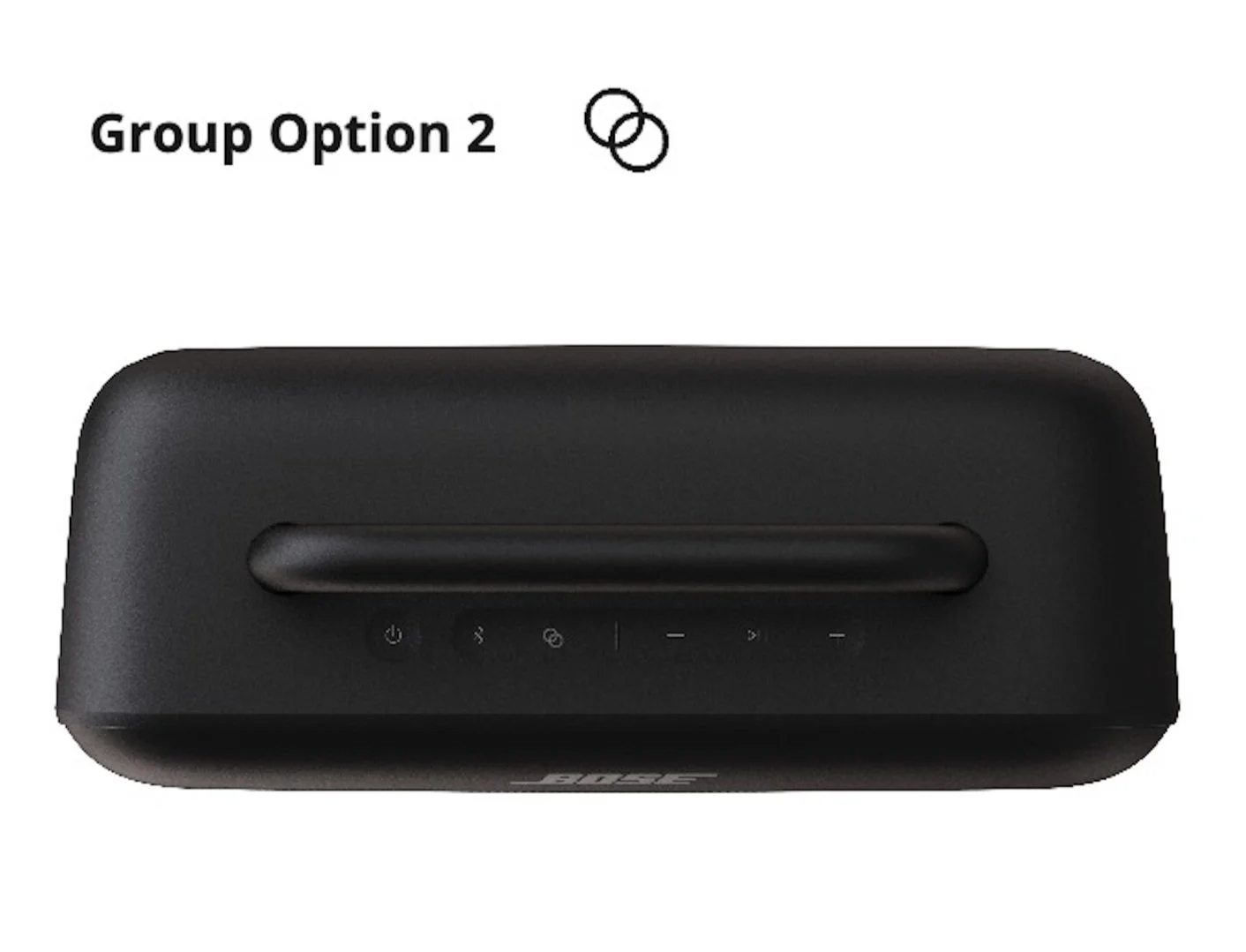
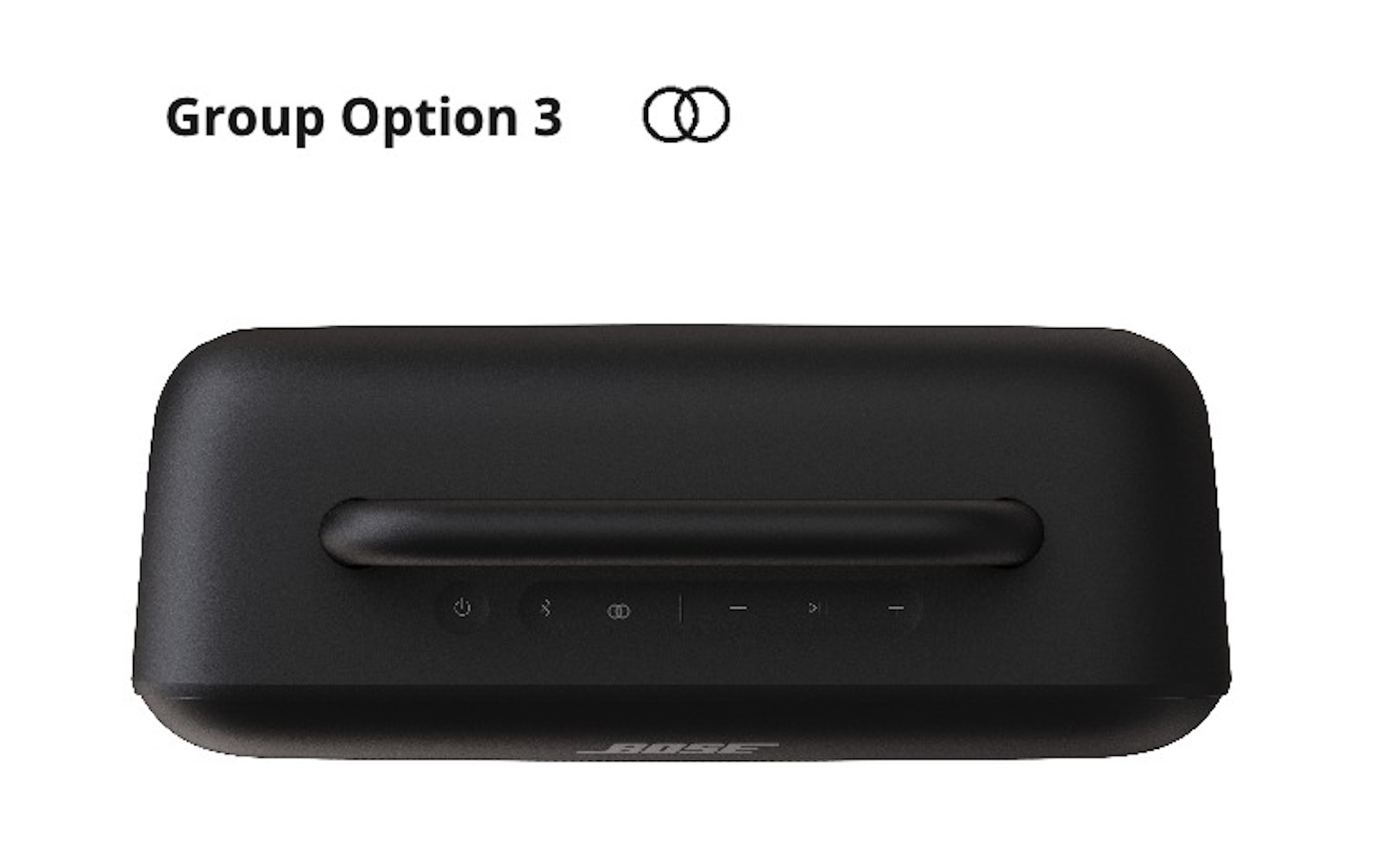
As well as evaluate those icon options in the app.
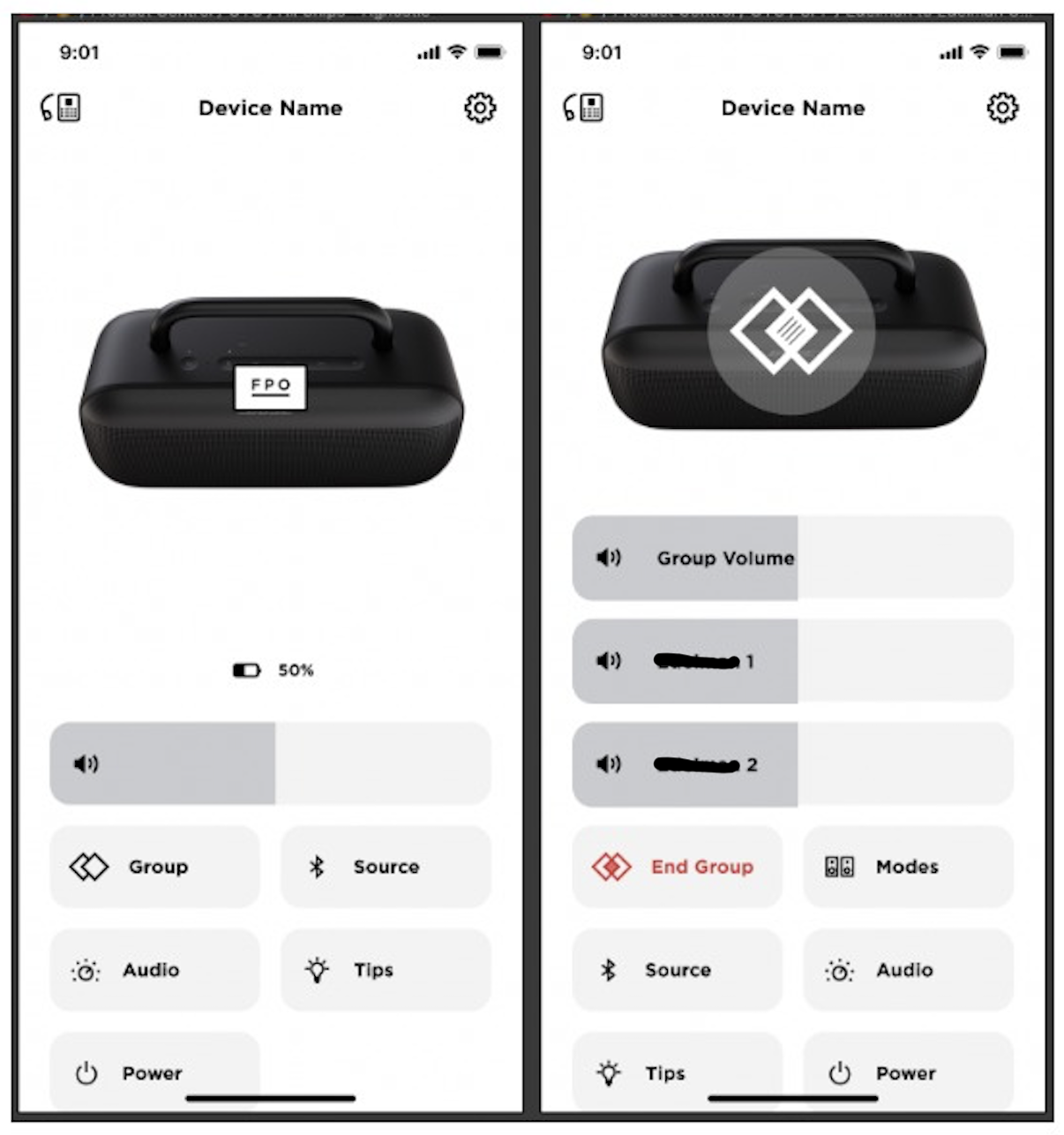
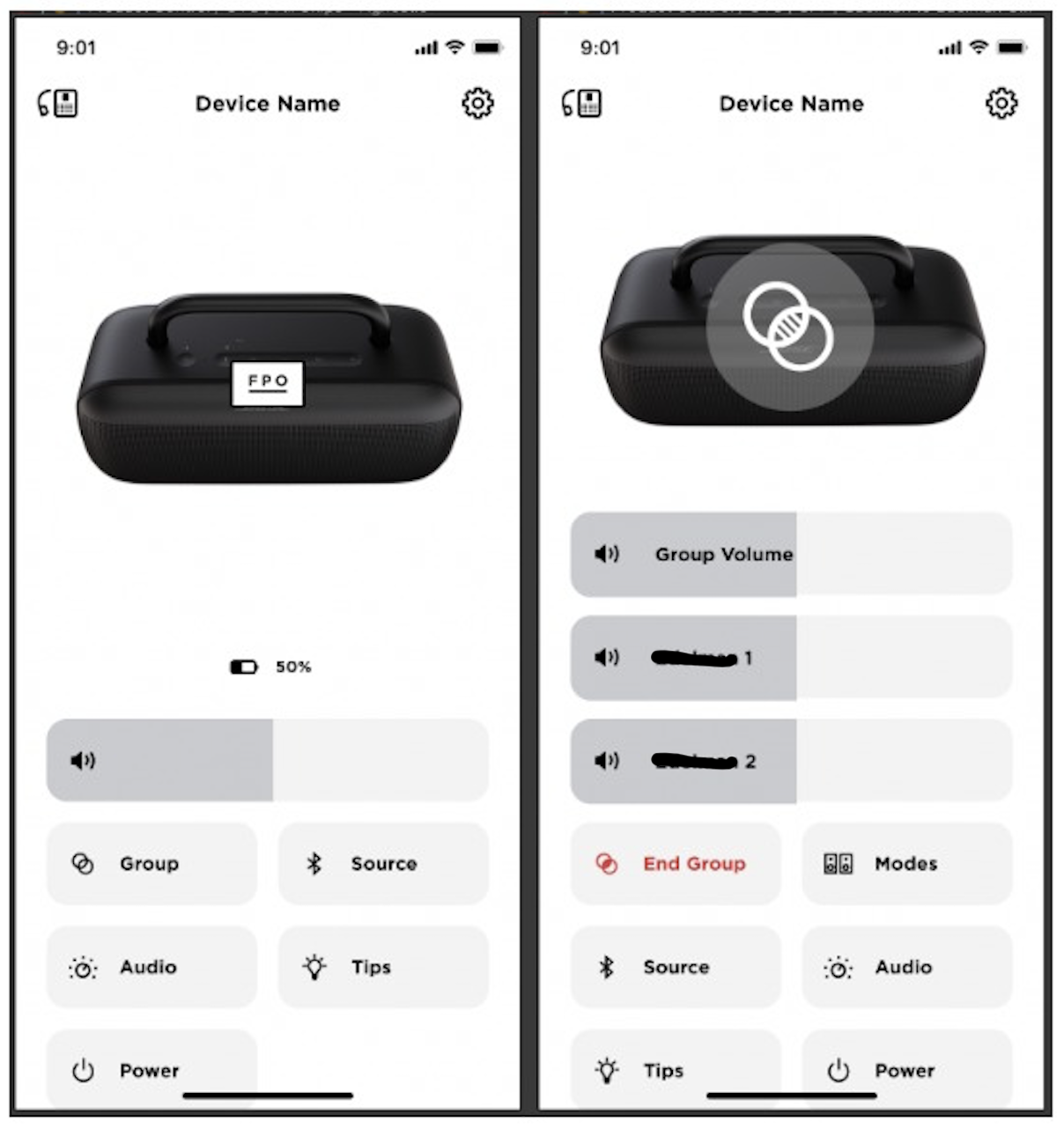
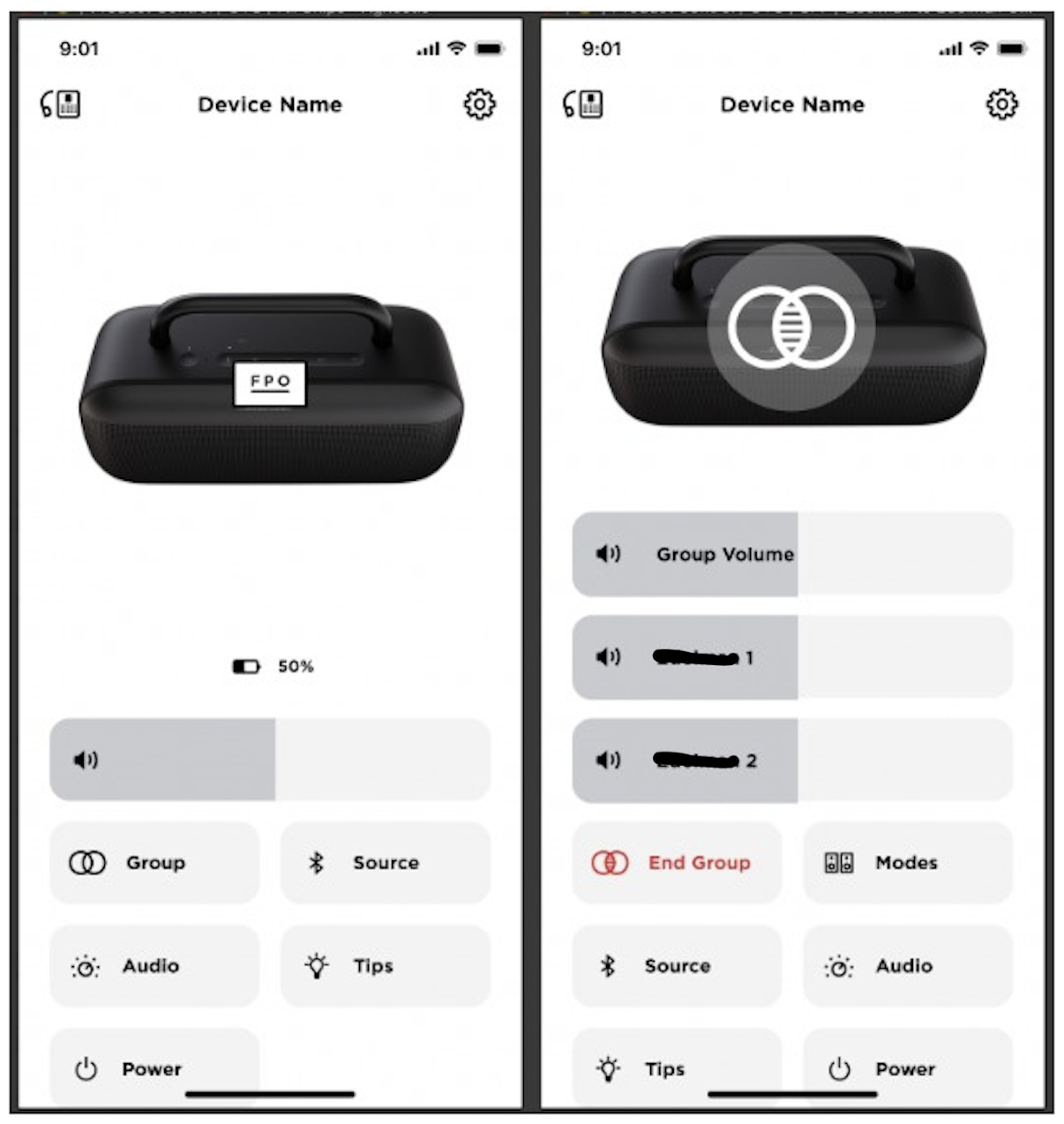
Along with icon evaluations, I explored new ways to represent that the speaker is in a link.
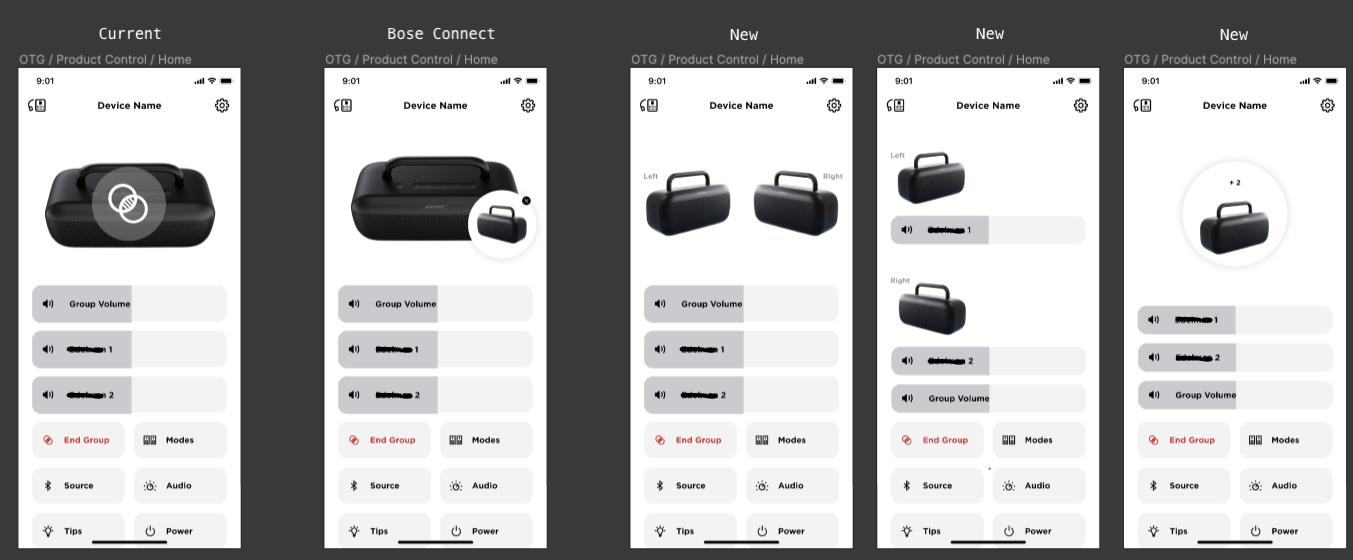
Program and Product Changes
Like any long program, priorities shift, new teams join, leaders change, and new features enter the chat. One of the key changes for this speaker was an original ask was have a dedicated button on the speaker to make it easier to link to BT speakers together. About 6 months prior to launch, we were asked to change the dedicate linking button to a multifunction button. Introducing, the Shortcut button, a multifunctional and programmable button that users can personalize to their wants. The SoundLink Max gives users the option to make the Shortcut button quick access to speaker linking, switching to a wired AUX connection, or access Spotify Tap.
While this was a big change for the program, it opened the doors to some new possible features for the SoundLink Max and all BT speakers to come in the future.
App Support
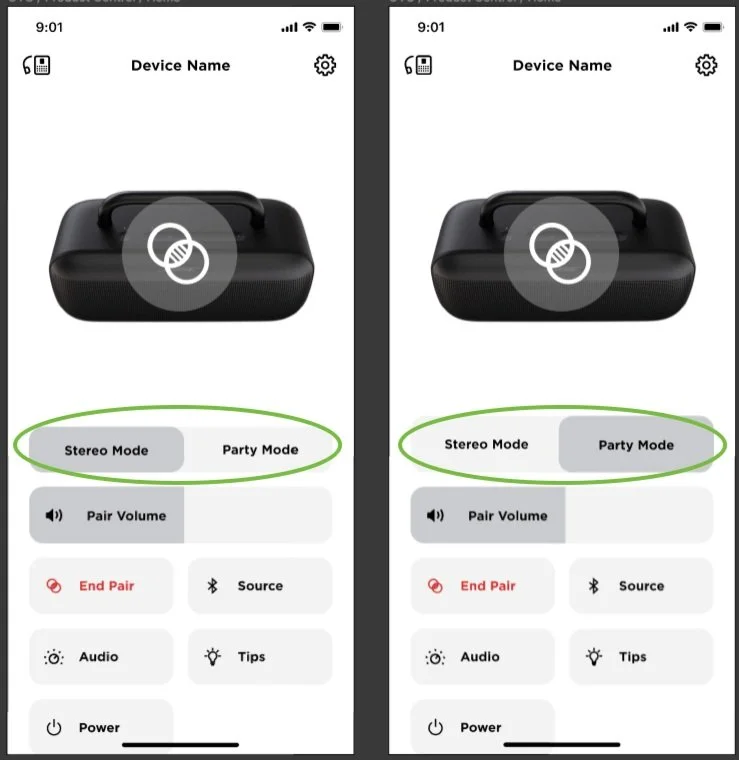
Along with the changes on product, we also had to shift app support for linking. Instead of allowing users to initiate a speaker link via the app, users would have to initiate a link on product. However, once a link is created, users can control settings of the link in app (EQ, toggle between listening modes, and disbanding the link).
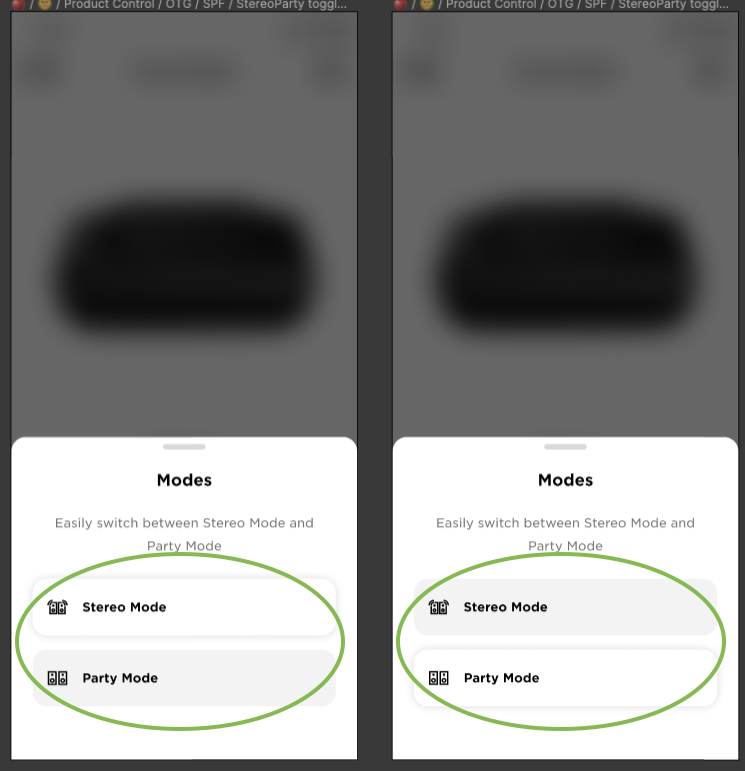
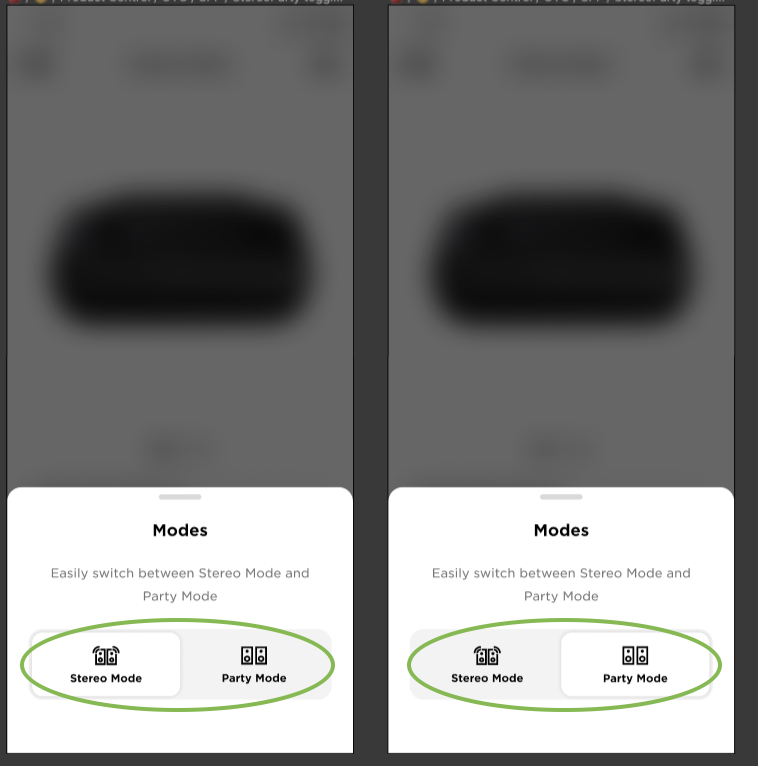
Stereo vs Party
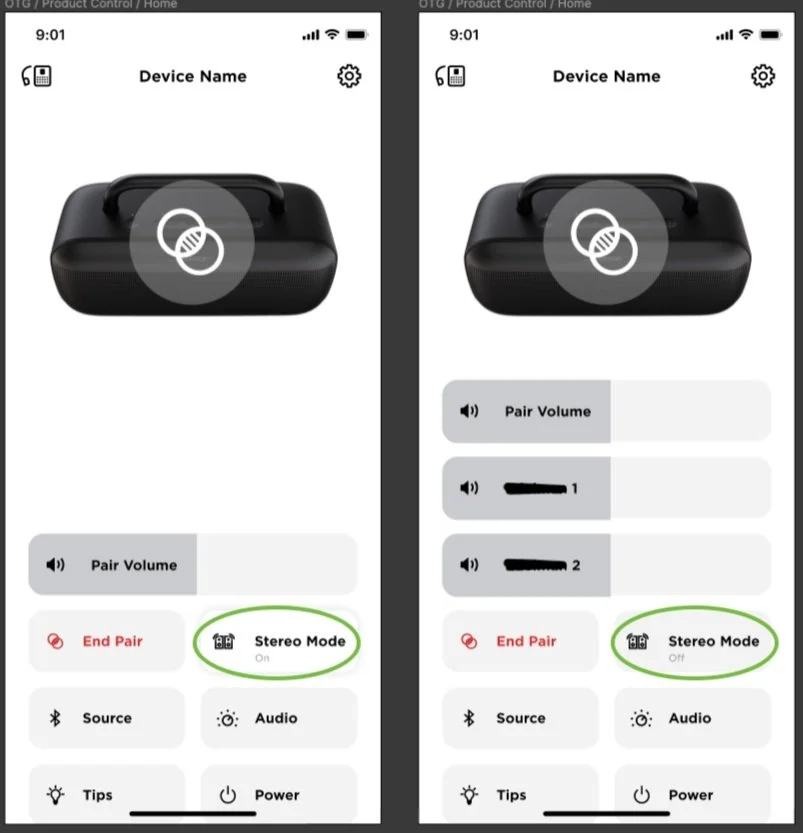
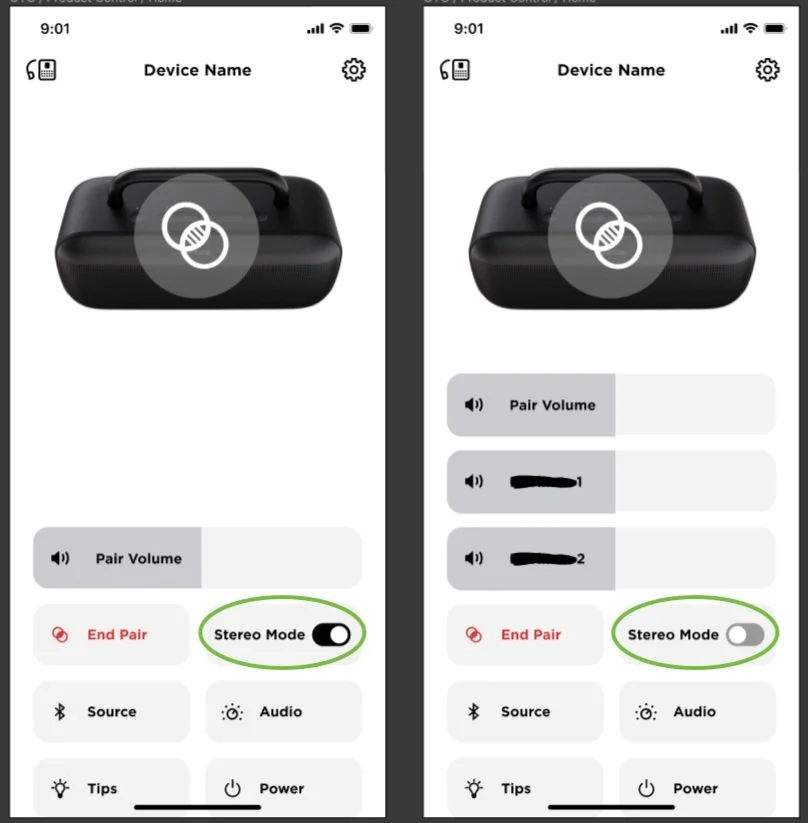
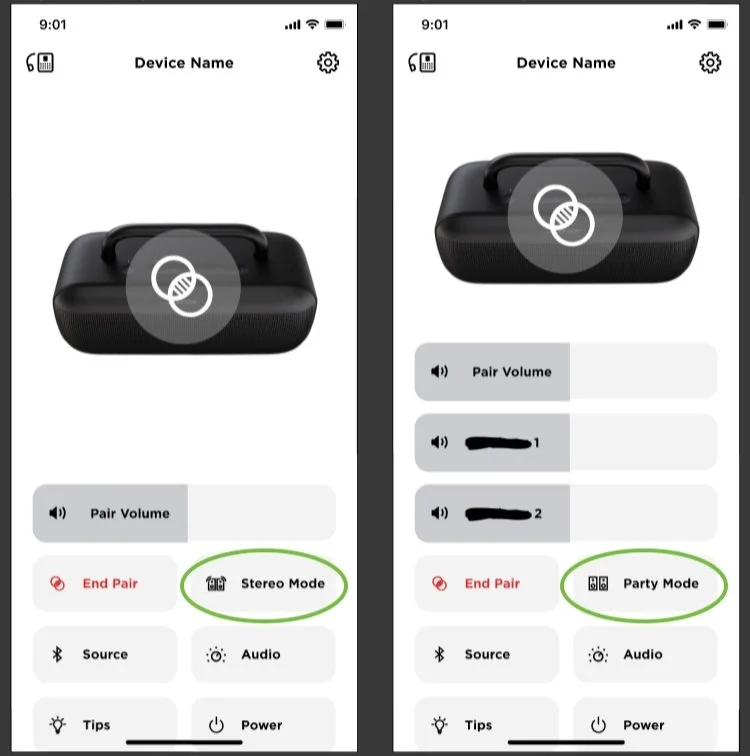
Next step was to design how we represent listening modes in the app (circled in green below). When users link two like speakers together, a SoundLink Max with another SoundLink Max, there are two listening modes that users can toggle between - Stereo mode (which uses the two speakers to mimic two audio channels, left and right, to create a more full listening experience) and Party Mode (which has all sound coming out of both speakers at the same time to imitate a single channel of sound).
Final Feature
While the final outcome looks a bit different than the original plan with different features, different functionality and different icons - the final feature has gotten awesome reviews and is a perfect framework to build on as the technology advances.