Bose Ecosystem Redesign
Comprehensive redesign and restructure of all User Interface Design Documentation (UIDD) to allow for ecosystem level scenarios for plug and play ability to create individual product design documents.
Team & Role
Team Included: The full UX Product design team with support from technical writers (8 people total)
My Role:
Evaluation of all existing documentation
Continuous collaboration with UX team, technical writers, SQA, and software developers.
Creation of new pages, tables, scenarios and documentation rules
History
Historically, the UX team was creating UIDDs for each individual new product. This UIDD was a compilation of all important interactions that was needed to build / develop the new product. This single page had SO much information that it was hard to follow, hard to find important information, and easy to get overwhelmed by the sheer amount of information packed into the document. In addition, because each individual product had its own UIDD, designers were spending multiple weeks for every new product, rewriting information and scenarios that overlapped with other product’s experiences. Week after week, the design team would sit down and brainstorm ways to make this process more intuitive and faster - not just for us designers, but also for all the engineers that regularly use and rely on this documentation. Finally, we deemed a new process was needed. Queue the Ecosystem Redesign.
Initial Work
First step was to break down the goals of the new ecosystem.
Goal 1: Quicker creation of documentation for designers.
Goal 2: Unified documentation to support consistent experiences product to product.
Goal 3: Decrease time and effort for SQA and software engineers to find and digest expected user behaviors.
Product Categorization
We decided to build an ecosystem documentation strategy where we first categorized and organized all products.
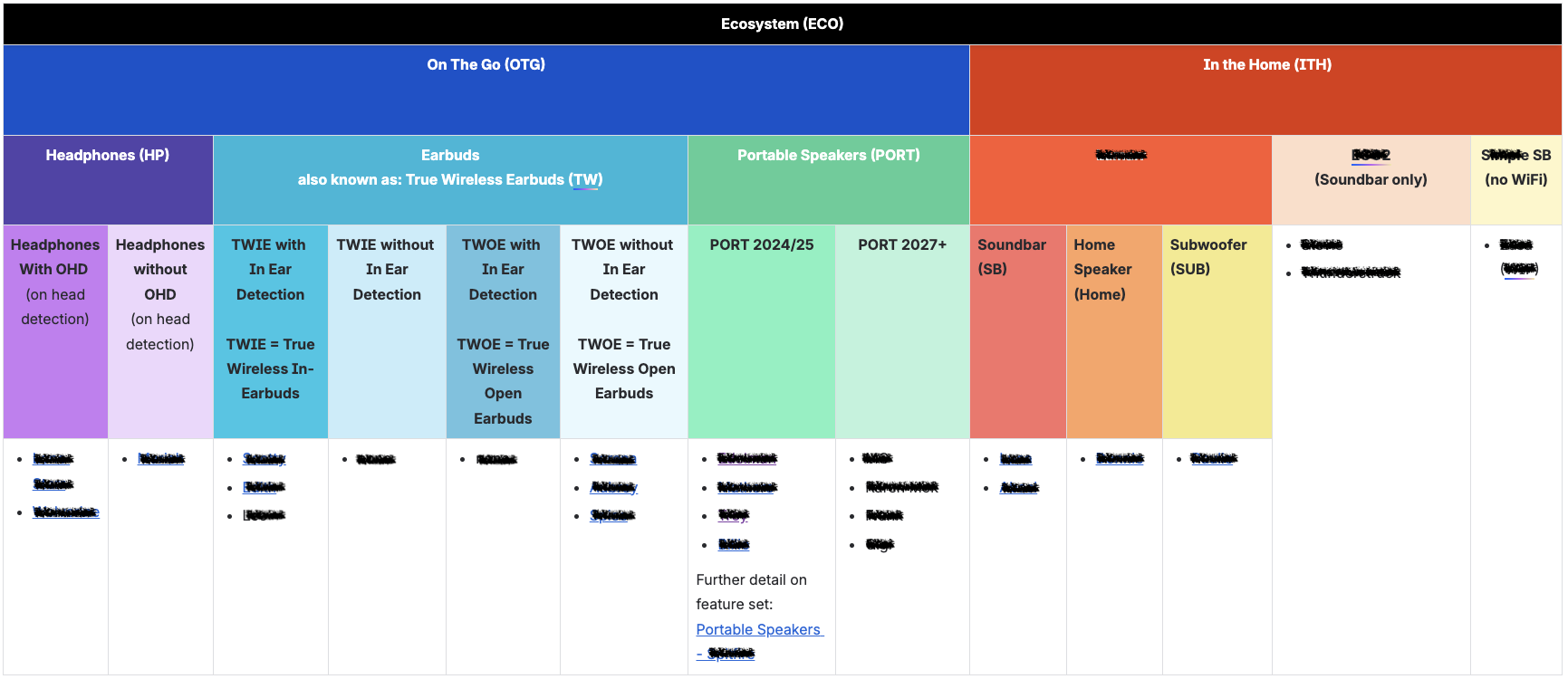
By labeling and organizing each specific product, we were able to then build scenarios and label them according to each category that was applicable.
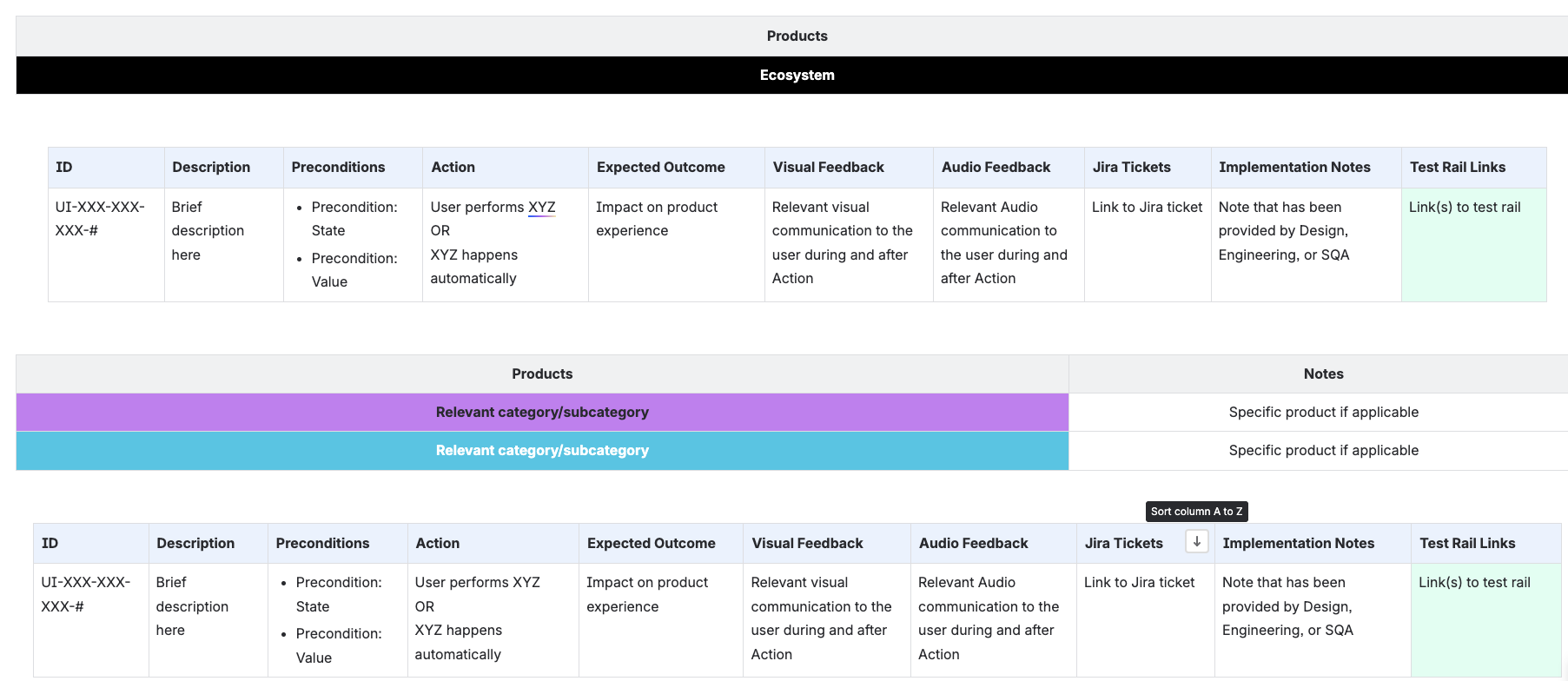
From that point, we could write a scenario and label each category or subcategory of product where that expected user behavior was expected.
Building a scenario
We then evaluated and restructured how we build a scenario. Consistency within scenarios provides ease of writing as well as reading.
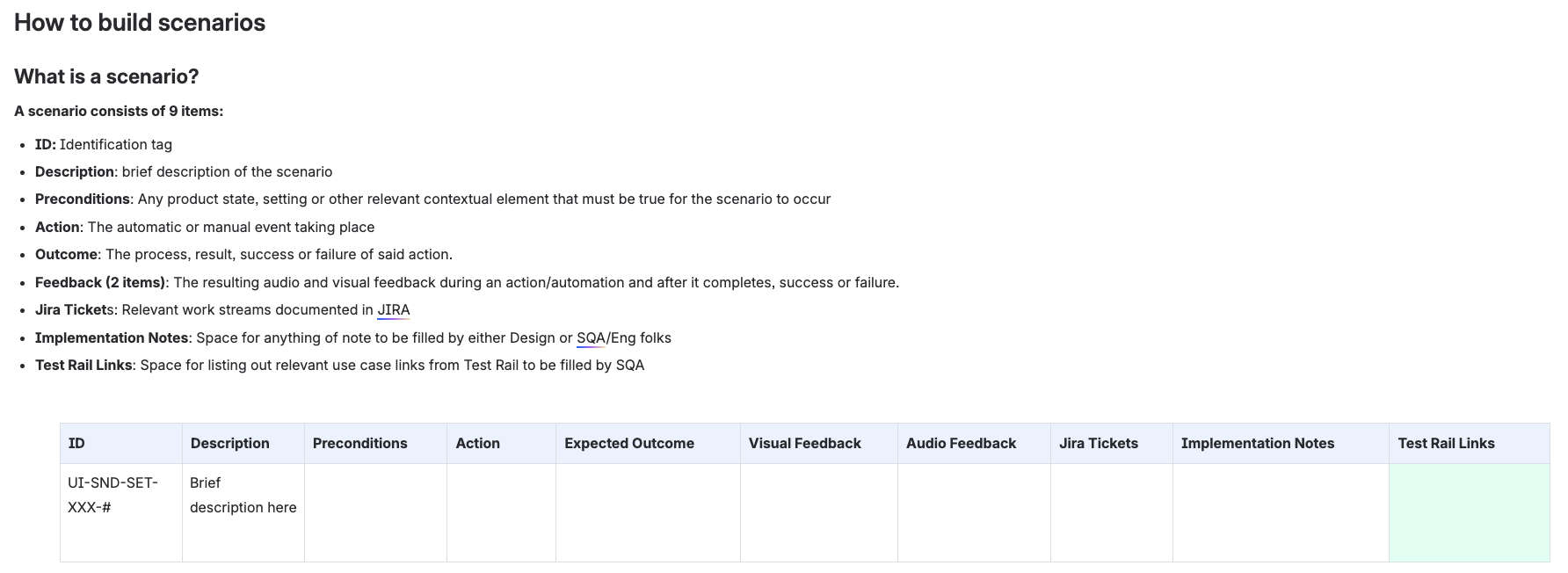
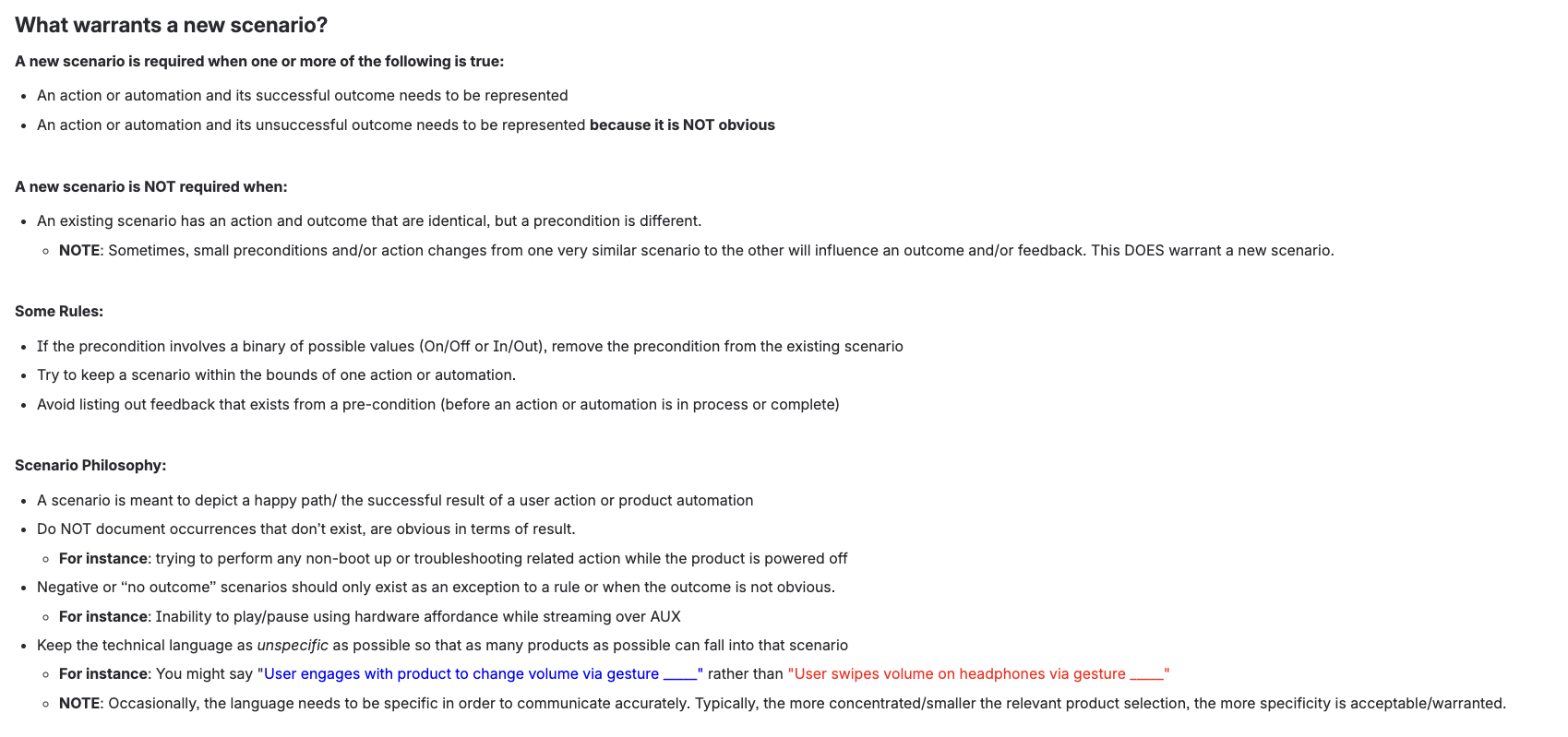
By outlining the above directions and rules to follow, any designer (even new to the company or new to the project) could quickly jump in and being creating necessary documentation with little to no handholding or support.
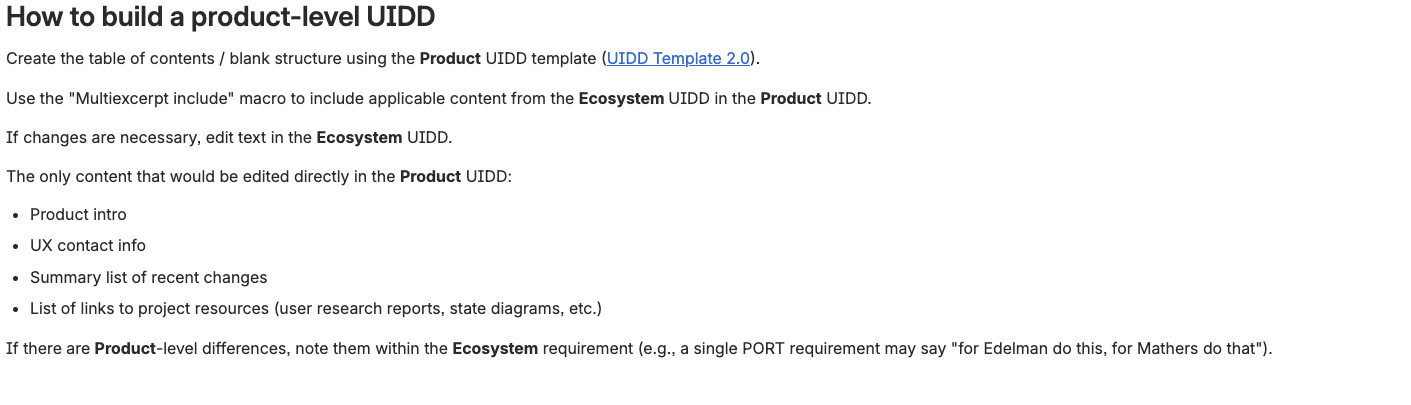
Building Product Specific UIDDs using the Ecosystem
As we built out different scenarios we began grouping them into different areas of experiences. Each area of the experience was broken into its own page. Within the Ecosystem UIDD framework, we had different pages. For example, out-of-box scenarios in one page, power scenarios in another, and even error scenarios broken out.
From each page, we then were able to plug and play with each respective table associated to the new product UIDD that was being built.
Result
The new Ecosystem UIDD framework allowed for a plug-and-play mentality which resulted in a decreased time to create an entire product specific UIDD from many weeks to only an hour or two.